Case study 02 · Wayfair · Freight forwarding
Transforming Freight Forwarding at Wayfair: The Journey of NaviOS
Three systems, a spreadsheet and no single source of truth, replaced with one platform the operations team could work in.
01 · Background
CastleGate Forwarding
CastleGate Forwarding is Wayfair’s own logistics operation. It moves product from factories around the world to customers across North America and Europe, consolidating shipments upstream so there are fewer touches and less time between the factory and the person who bought the sofa.
Over 23,000 suppliers and more than 80,000 containers. By volume that is the equivalent of a top 20 importer into the United States. NaviOS is the platform the operations associates use to run it.
02 · The problem
The same shipment, typed three times
Before NaviOS there were three places the work lived: NCT, CargoWise and spreadsheets. None of them checked each other, so there was no single source of truth and associates re-entered the same shipment up to three times, once per system. Over 40 fields, by hand, per shipment.
Nothing validated any of it. Errors stayed invisible until they surfaced at customs, which is the most expensive place to find them.
-
Manual data entry
Typing into spreadsheets produced frequent errors and inconsistencies, and customs and routing depended on that data being right.
-
No integrations
The tools sat in silos. Data had to be moved between them by hand, which duplicated effort and multiplied the chances of a mistake.
-
Time lost to routine
Associates spent a significant part of the day on tasks that could have been automated, which delayed everything downstream.
The fourth problem was the one that made the others worse. The tools were cumbersome enough that associates were frustrated by them, and a frustrated user works around a system rather than with it.
03 · Research
Twenty associates, three methods
To understand what the work actually looked like, I used three methods rather than one. Each answered a different question.
-
Interviews
One-on-one with more than 20 operations associates, to get detail on daily tasks and where they got stuck.
-
Shadowing
Time spent watching people work in their own environment, which is where the workarounds show up.
-
Surveys
Sent to a broader group, to find out how common the problems were and to catch anything the interviews missed.
04 · Ideation
From workshops to flows
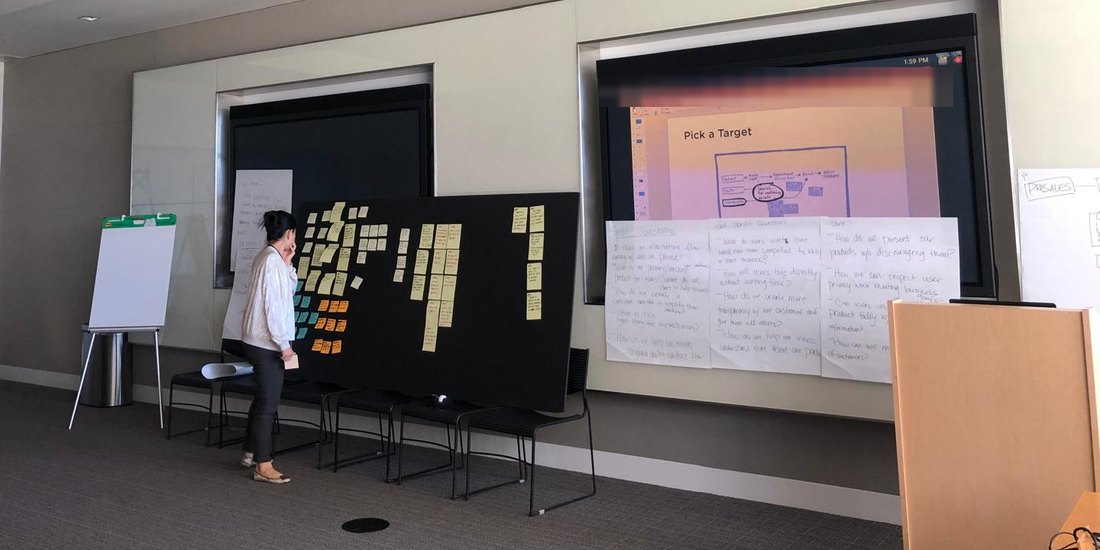
I ran brainstorming sessions using mind mapping and affinity diagrams so that every idea got captured and grouped, then a Crazy 8s workshop to push past the obvious ones.
Four things came out of it: a centralized dashboard with real-time shipment updates, automated notifications for changes and delays, simplified data entry forms, and integrations that let data move between systems instead of being carried between them.
Then I mapped the flows. The existing ones were long and fragile. A customs specialist entered the same data into several systems in sequence, and any inconsistency introduced early survived all the way through. The redesigned flows integrate the systems, automate validation and notifications, and cut the number of steps a person has to hold in their head.
05 · The solution
One platform, three changes
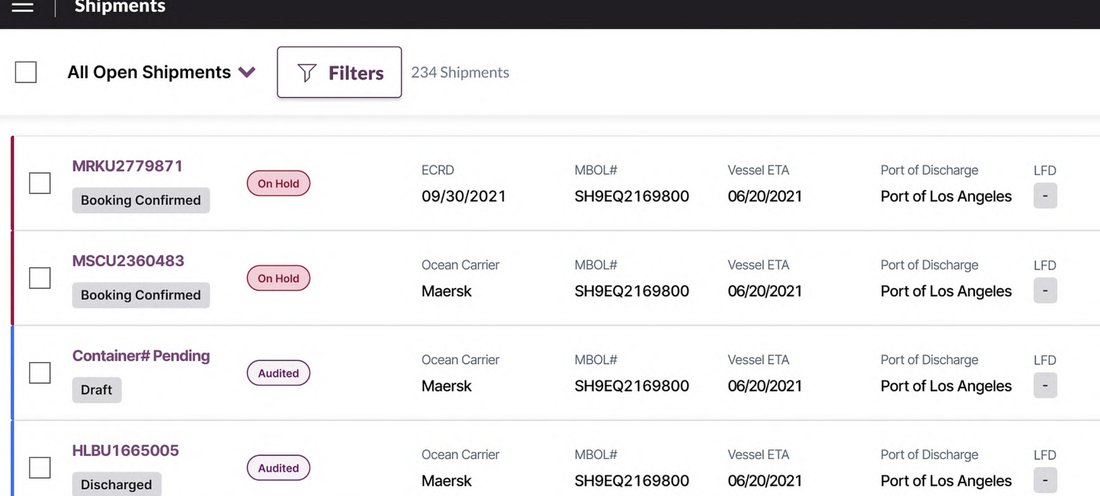
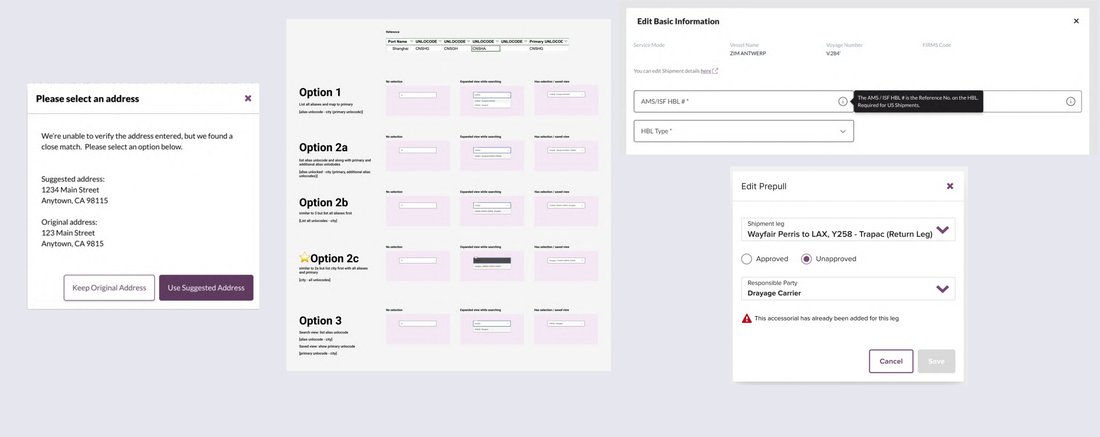
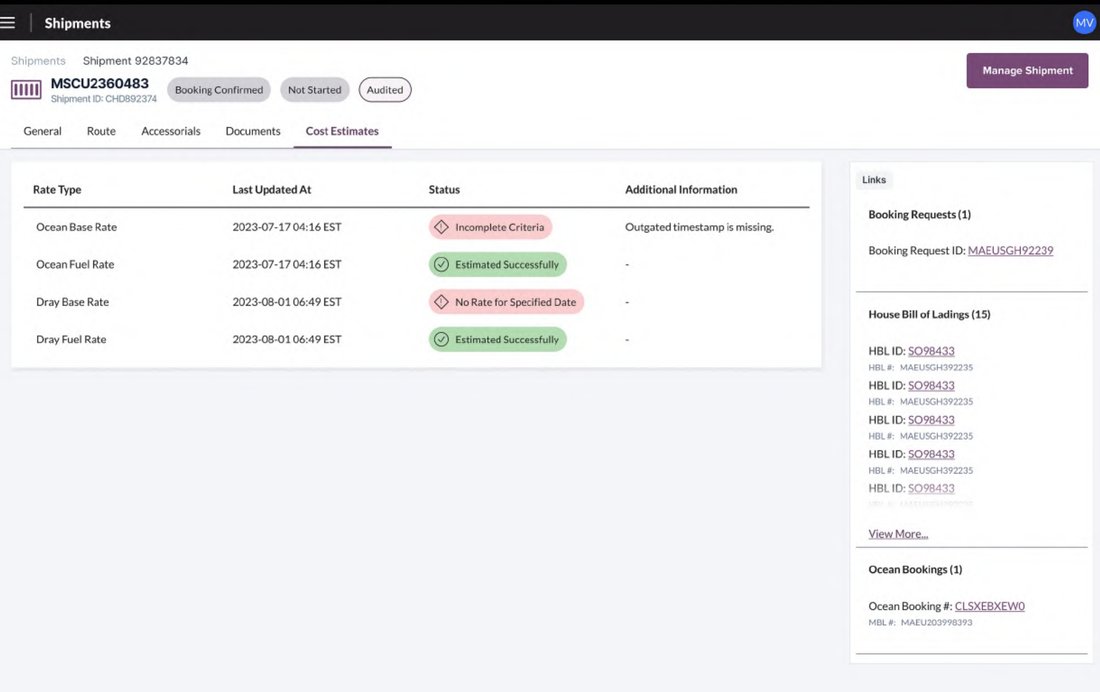
After the research, ideation and prototyping I implemented a set of changes in NaviOS aimed at usability, efficiency and accuracy, with systems integrated and routine work automated.
Integrated data entry forms
Reduces manual data entry and errors by automating data validation and integrating with existing systems.
Automated notifications
Keeps operations teams informed in real time about changes, delays and required actions, without manual monitoring.
Enhanced user interface
Optimizes the process of entering, updating and tracking shipment information.
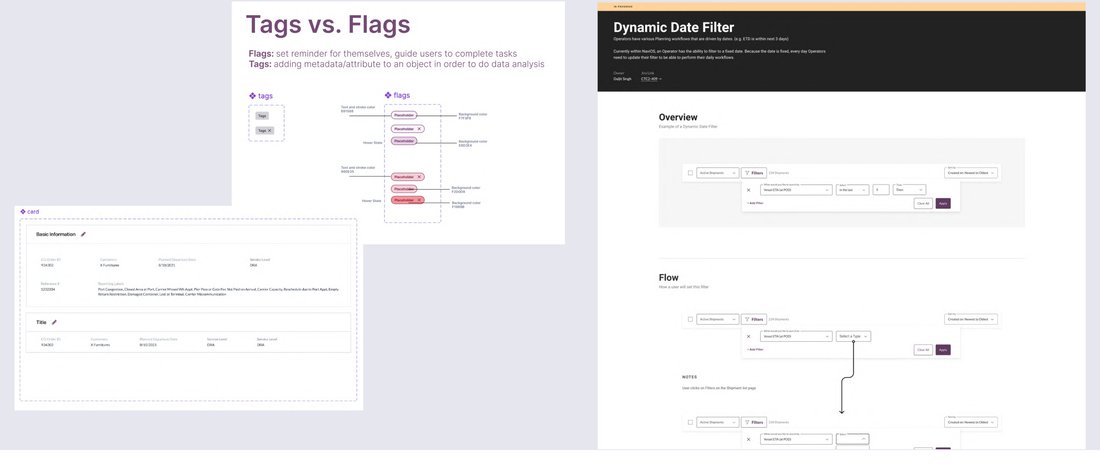
06 · Delivery
Documentation as part of the design
Four engineering teams were building from these designs, so handoff was not a final step. I prioritized documentation and collaborative practice throughout.
-
Embedded comments
Designs carried comments and guidelines for developers and stakeholders, in the file, next to the thing being described.
-
Written specification
User flows, functionality, reasoning and visual guidelines, so a decision could be understood months later by someone who was not in the room.
-
Shared language
Consistent communication across teams, which is what stops four teams building four slightly different versions of the same pattern.
07 · Results
Measured a quarter after launch
Measured one quarter post-launch with a subset of current and new NaviOS users.
50%
Reduction in manual data entry.
42%
Decrease in data entry errors.
20%
Increase in compliance.
NaviOS has significantly reduced the time I spend on repetitive tasks, allowing me to focus on more important work.
Operations associate, drayage
A satisfaction survey ran alongside. Associates rated their overall experience against NCT and CargoWise at 4.1 out of 5, performance at 3.6, and ease of use at 3.4.
Ease of use at 3.4 was the lowest of the three and the most useful number in the set. The platform was better than what it replaced and still harder to learn than it should have been, which is what set the backlog priorities afterwards.
08 · What came next
After the launch
What I did
Started weekly check-ins with operations stakeholders for backlog refinement and prioritized requests. Addressed three of the four highest priority items and shipped them. The rest went onto the roadmap.
Looking forward
Additional user training, including Lunch and Learns and a NaviOS power user bootcamp. A quarterly measurement process so the product team could track metrics and find the gaps rather than wait to be told about them.
Next case study